Choose the calendars you see
Read selected calendars available on your device through Apple EventKit. CalenCanvs never edits or deletes your events.
Calendar × Canvas
Read events from the calendars you choose on your iPhone or iPad, then add handwritten notes. CalenCanvs brings everyday plans and personal notes onto one calendar board.
Free · iPhone / iPad · Available on the App Store
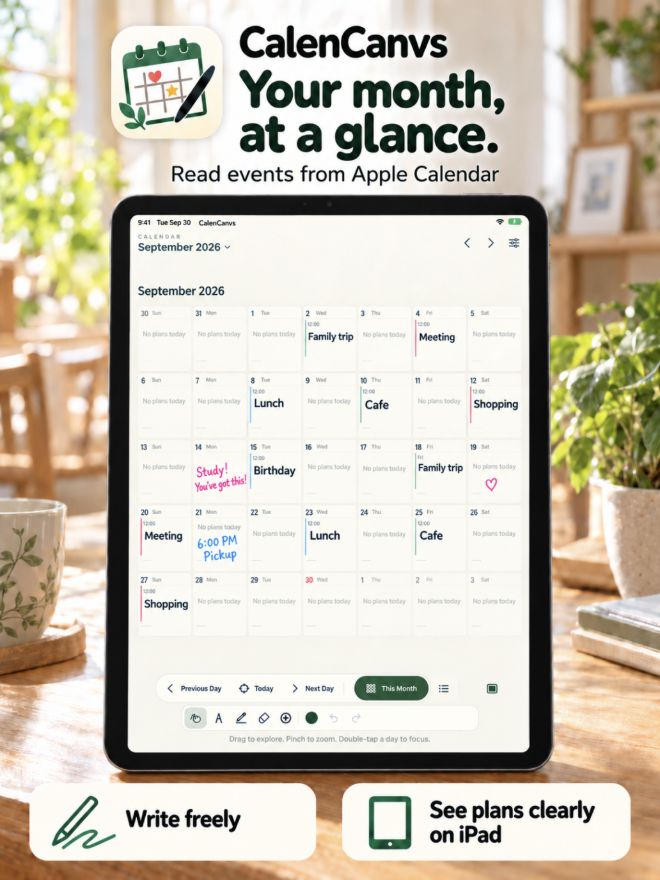
Read selected calendars available on your device through Apple EventKit. CalenCanvs never edits or deletes your events.
Add notes with pens and highlighters. Choose a color and width, then refine your marks with Undo and Redo.
Place stamps on a day or the board. Make everyday events easier to spot and your calendar feel like your own.
Move from a close view of today to the whole month. Pan and pinch the board, or double-tap a day to get a closer look.
Check calendar access for CalenCanvs in device Settings, then choose visible calendars in the app. Make sure a calendar account has been added to the device.
CalenCanvs does not log into these services directly. It reads calendars that your device makes available through Apple EventKit, including supported accounts you add in device calendar settings.
CalenCanvs is read-only. Use your usual calendar app to change events.
Version 1.0 does not support board synchronization or cloud sharing. You can view plans and drawings together on the same device.